All of TinyPine StudioVideo · LTX-2.5

Stills that move, with sound

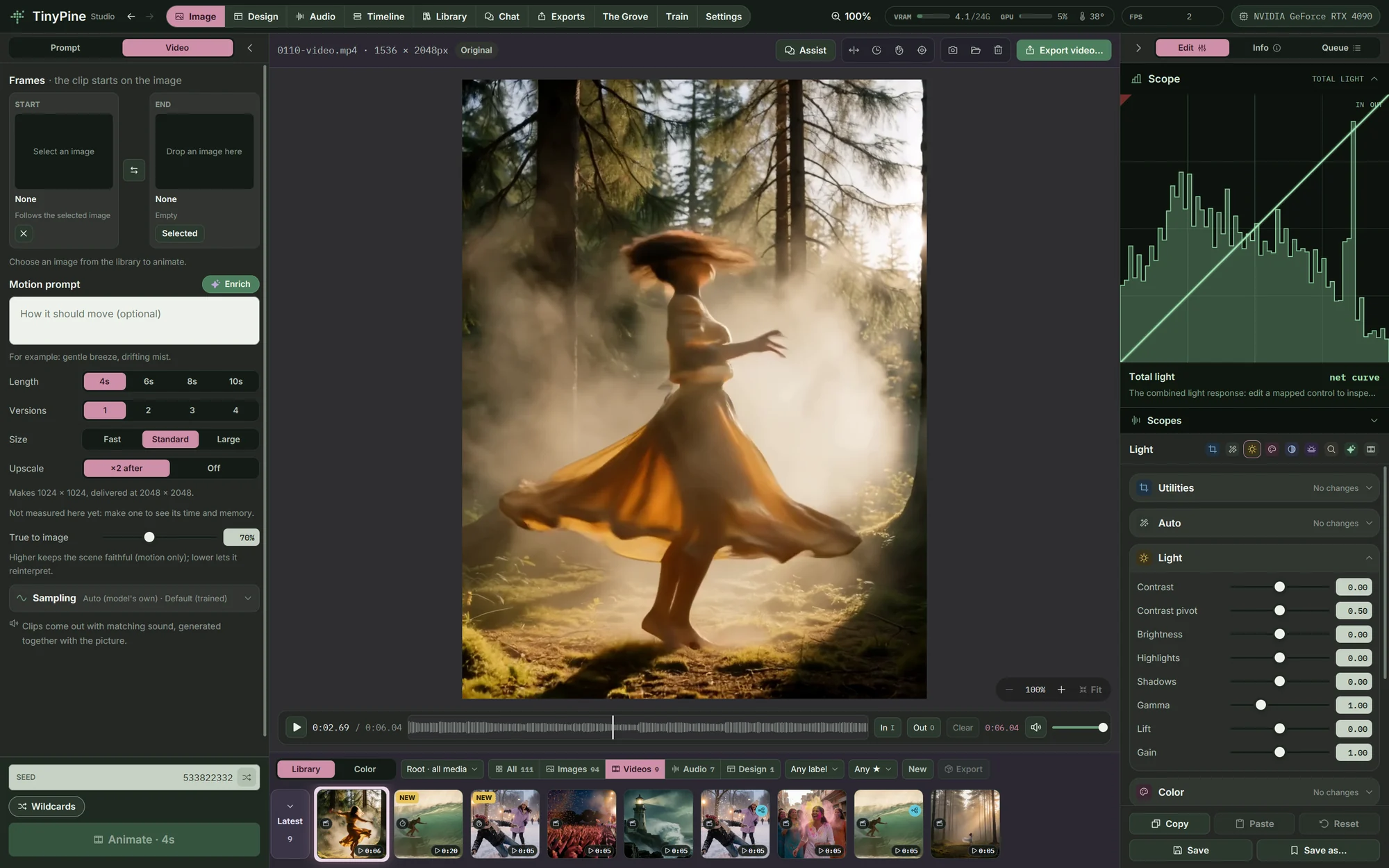
Animate any picture into a clip of 4 to 10 seconds with sound written in the same pass. Extend it forward or backward, slow it down, steady it or track something in it. Every result is a new clip beside its source.

The Video tab with a clip and its motion prompt

From a still to a clip

Pick a picture, write how it should move (or let Assist write it from the frame) and choose the length, the size and how closely the clip follows the picture. The clip inherits the picture's grade. A start and an end frame are possible too.

Longer than one take

Extend continues a clip after its Out point or leads into its In point, from the clip's own frames, with a motion prompt per side. The result is a new, longer video; the source stays as it was.

Slow motion, 2× to 16×

RIFE for speed or FILM for quality makes the frames in between, and the sound is stretched with its pitch kept. Here a five-second surf clip, four times slower.

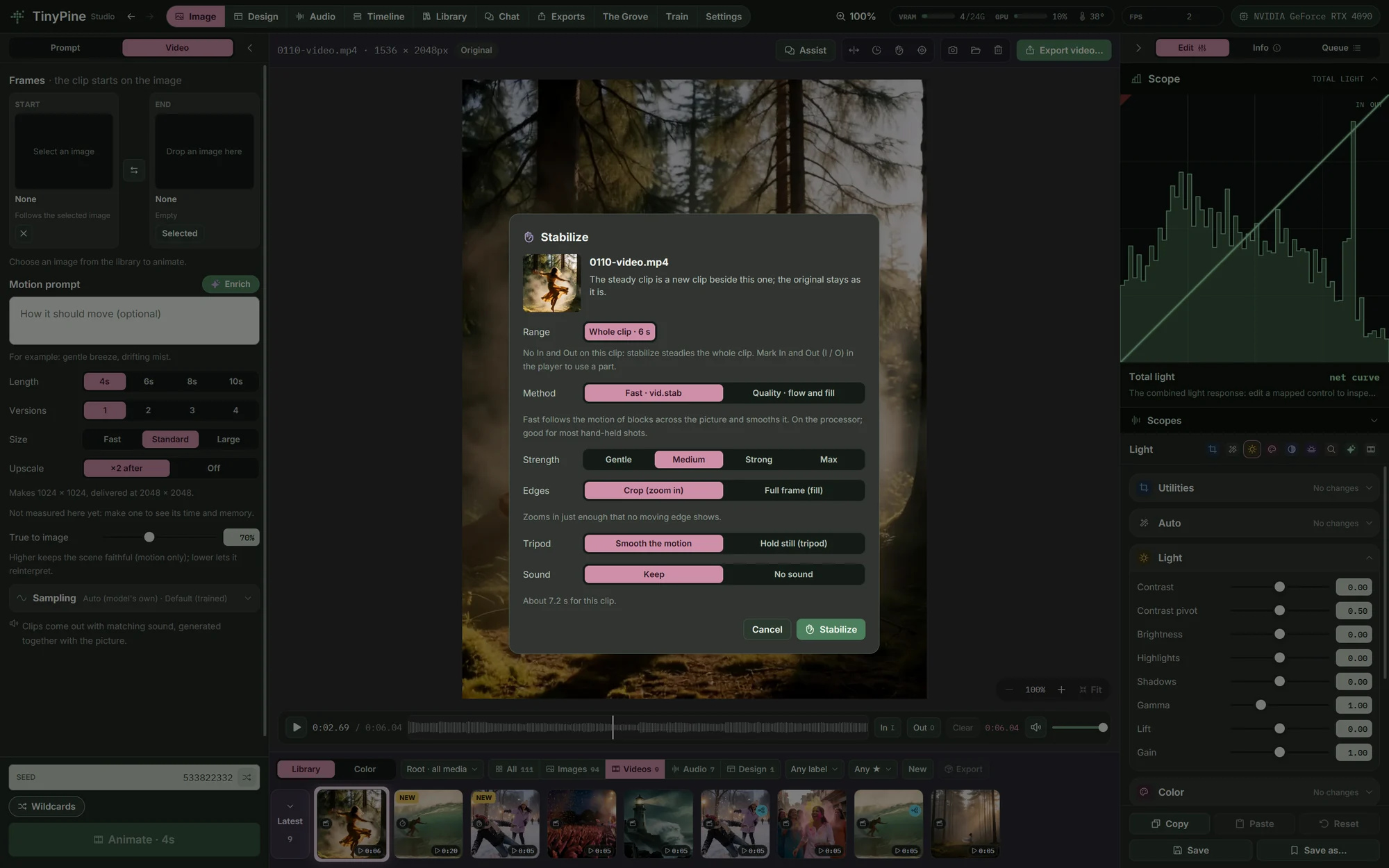
Steady shots and tracking

Stabilise a shaky clip fast with vid.stab, or with optical flow that fills the edges from the frames around it. Track a point or an area through a clip and let a title or a picture follow it, or cut the object out on every frame with SAM 2.1 as a moving mask.

Steady shots and tracking
And also

Everything else in video

Video needs a 24 GB card, 32 GB of RAM and a 64 GB page file. Upscale video uses about 16 GB of video memory and takes sources up to 1344 × 768. Slow motion, stabilising and tracking run on smaller cards.
Next: Editing

Trim, keyframe, grade, mix and caption.

Editing

Everything on this page runs on your own card

A sad beagle puppy lying by the front door

Coming soon

Free · Windows · NVIDIA GPU, 24 GB recommended, 8 GB minimum · video needs 24 GB