All of TinyPine StudioTimeline

Cut, grade, mix and subtitle in one timeline

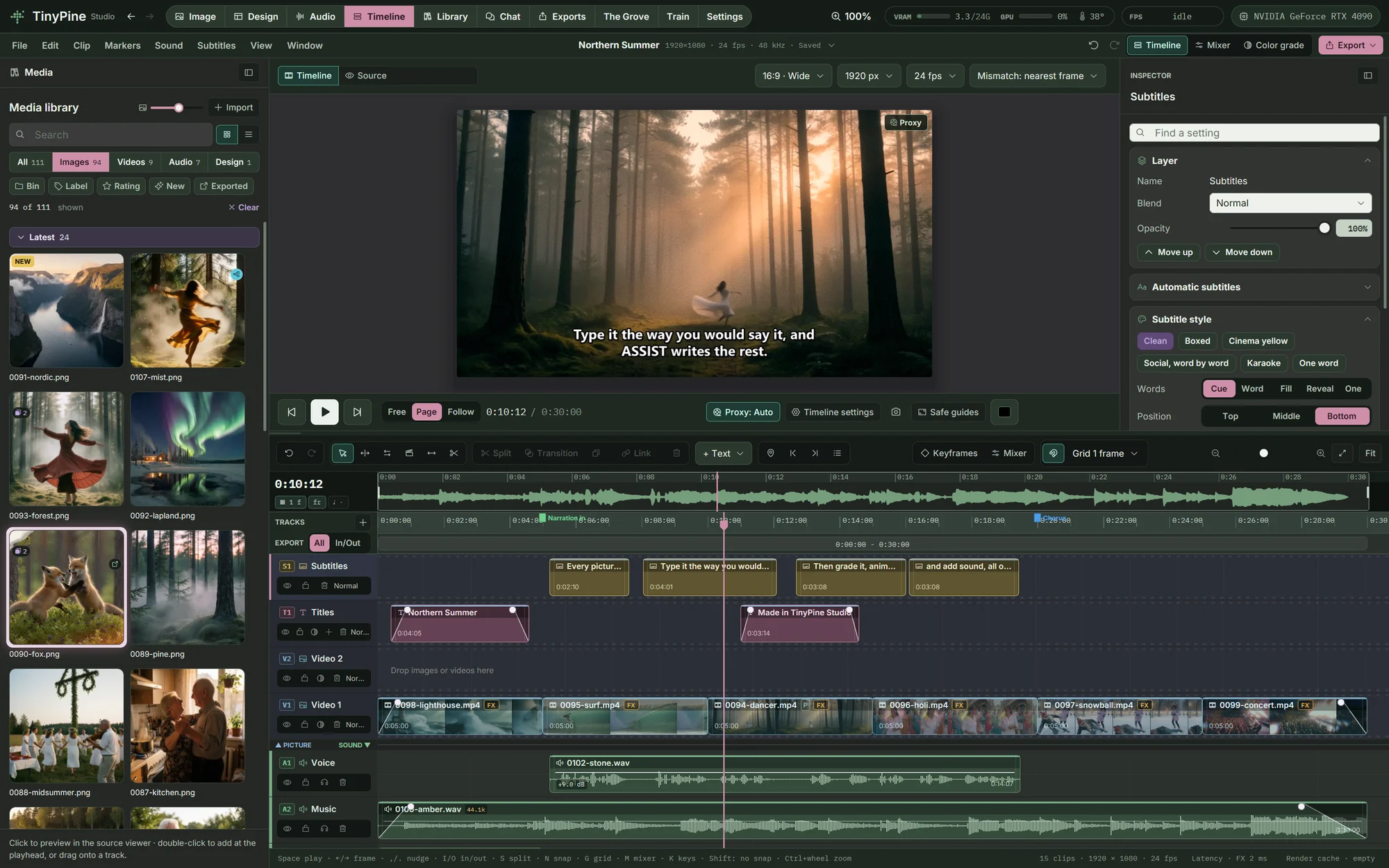
An editor with picture, text, subtitle and sound tracks, the same colour tools as Edit, a mixer and a colour page. Your renders, clips, songs and voices are already in its media panel.

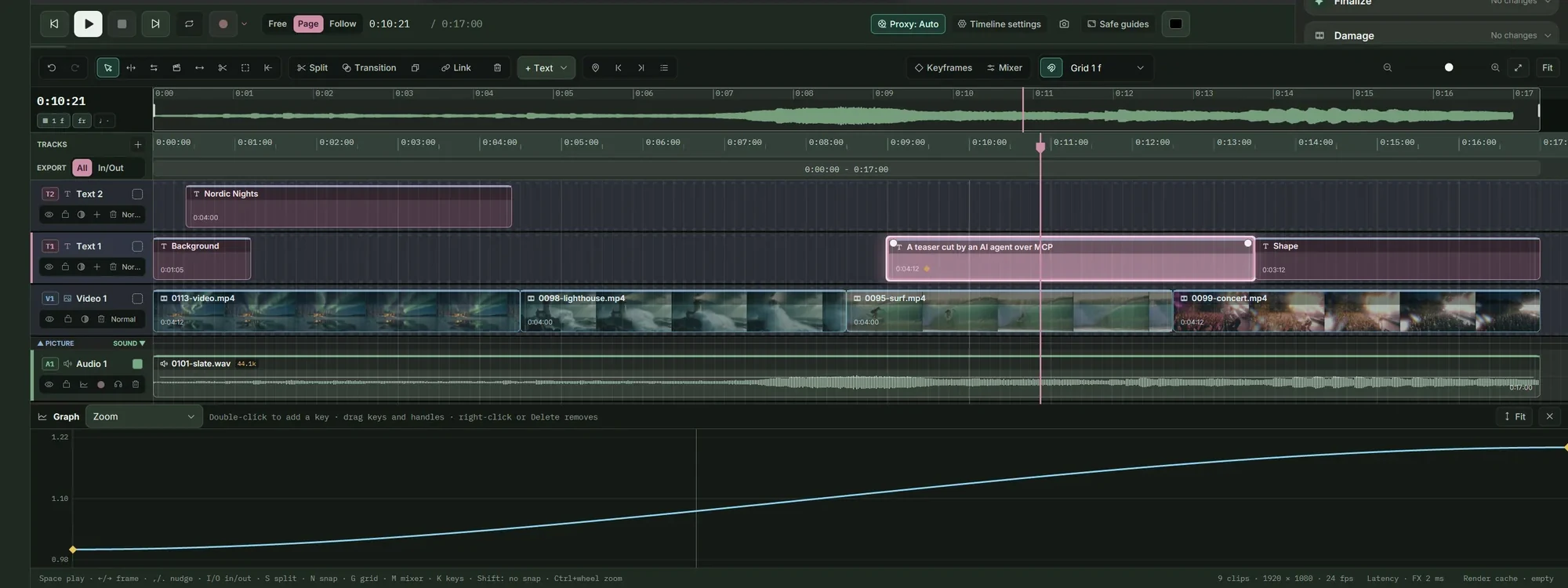
The TinyPine timeline with clips, titles, a voice and music

A thirty-second film, cut in TinyPine

Six clips animated from pictures on this site, a title, a lower third, a voice-over made in Speech, a song made in Music, rain from Sound effects, and subtitles transcribed from the voice that light up word by word. Exported from the timeline as H.264. Click for sound.

Edit like you are used to

Ripple, roll, slip and slide, a razor, ripple delete and close gap. Transitions (dissolve, dip, wipe, slide, push, zoom, blur), markers with names and colours, reverse, freeze frames and speed ramps on bezier curves. Masks, chroma key and nested timelines.

Edit like you are used to

Motion in one click, or keyframe by keyframe

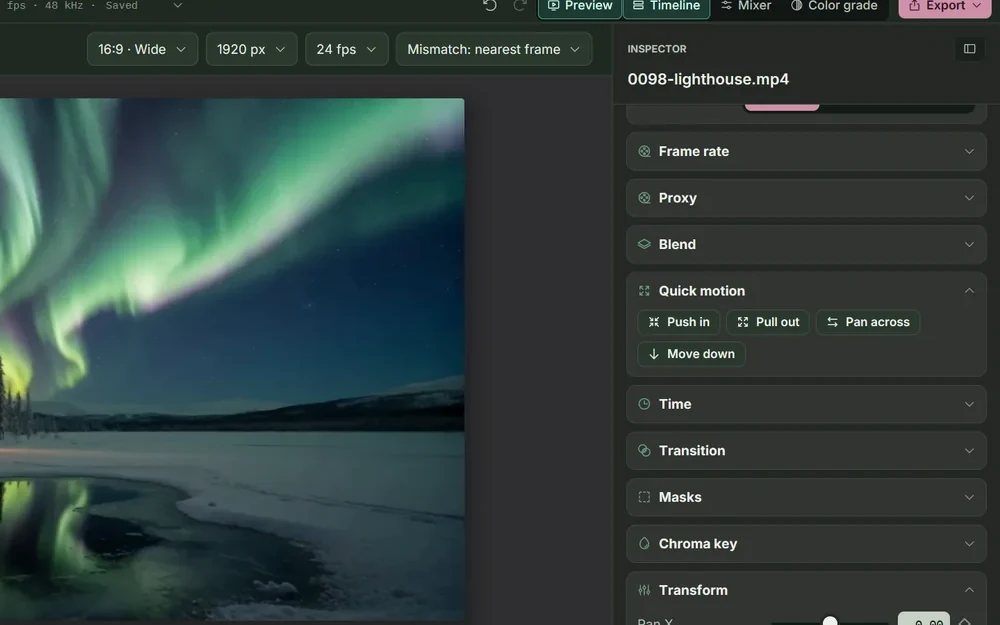
Every clip has pan, zoom, scale, rotation, pivot, opacity and crop, each with keyframes, fits the frame by Fill, Fit or Stretch and flips either way. Quick motion puts a push in, pull out, pan across or move down on the clip as two keyframes, ready to adjust.

Motion in one click, or keyframe by keyframe

Titles, graphics and text that moves

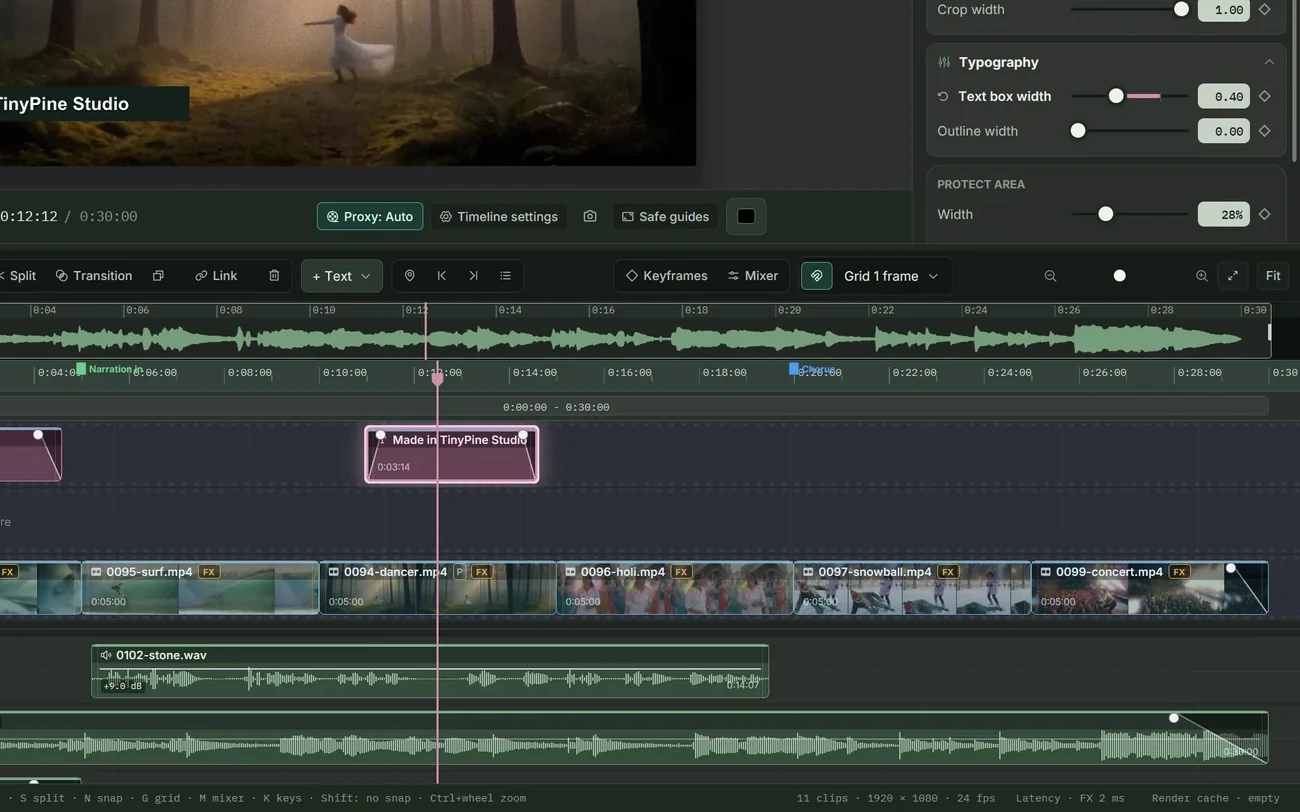
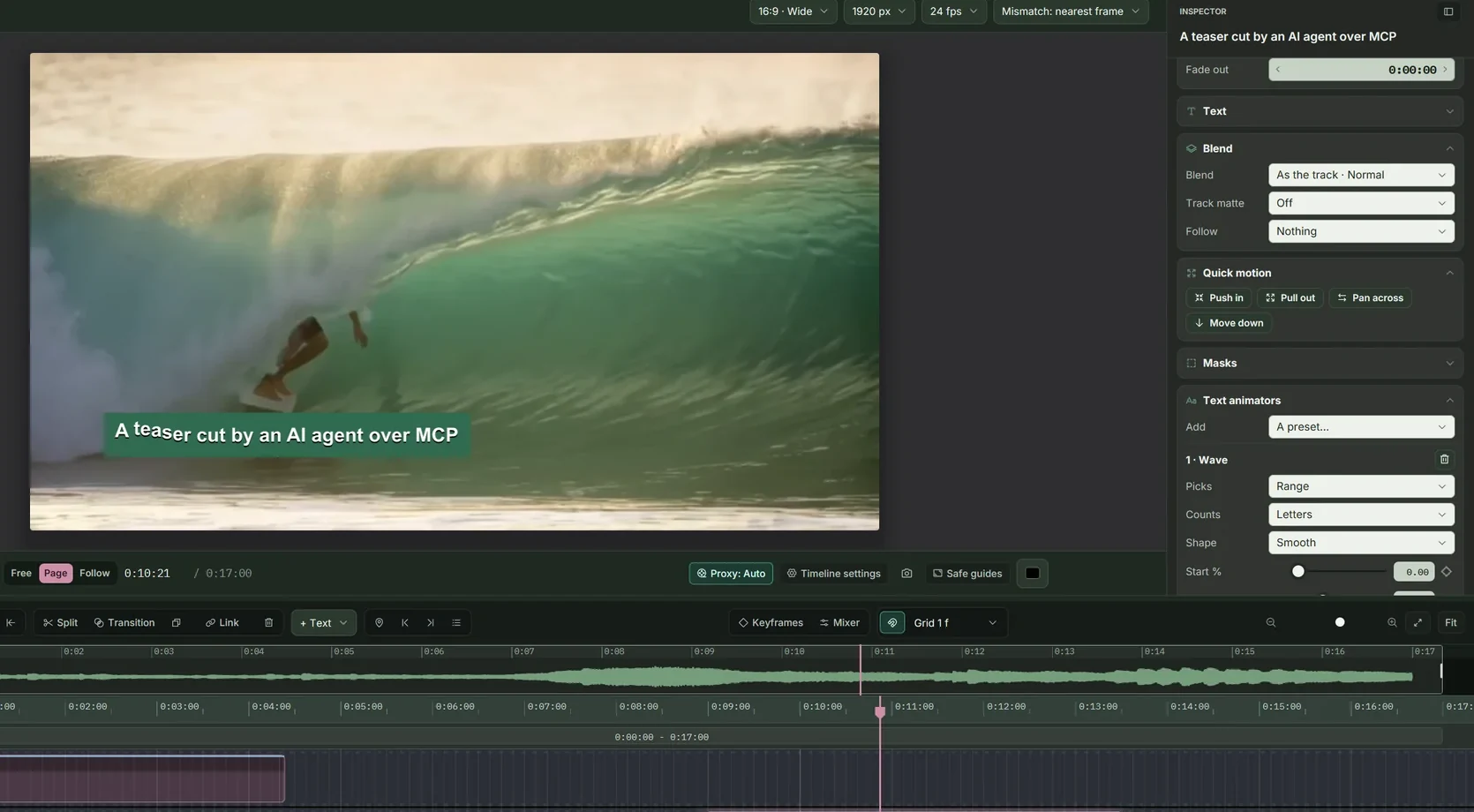
Titles sit on panels, shapes (rectangle, ellipse, triangle, polygon, star, arrow, speech bubble, heart) or full-frame backgrounds in a colour or a gradient, with keyframes on size, corners and colour. They come in and go out with fade, rise, drop, slide, pop, zoom, wipe or typewriter. Text animators go further: they move, scale, turn, fade, space, blur, recolour or scramble letters, words or lines one by one, with a range that sweeps across the text or a random wiggle.

  • Nine presets, among them Fade up, Bounce in words, Scramble, Wave and Colour sweep
  • Shapes that draw on, and copies that step, turn, scale and fade
  • Motion blur on moving titles, text along a shape's outline
  • A blend mode per clip
Titles, graphics and text that moves

A graph editor, track mattes and parents

Open the value curve of any keyframed setting under the tracks and drag keys and bezier handles in the curve itself; time snaps to frames. A clip can show only where the clip above lets it through, by its alpha or brightness, inverted if you like, and a clip can follow another clip's position, rotation and scale like a null object.

A graph editor, track mattes and parents

Hand the cut to another editor

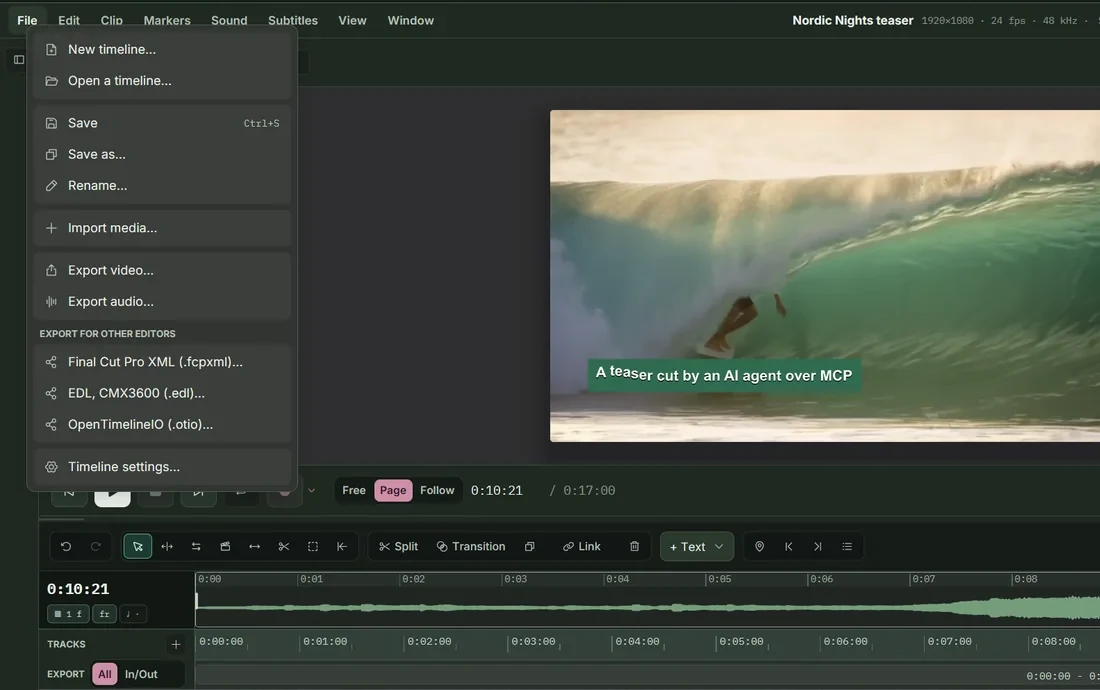
Export the timeline as Final Cut Pro XML, an EDL (CMX3600) or OpenTimelineIO for Final Cut Pro, DaVinci Resolve or Premiere, with clips, sound, titles, crossfades, speed changes and markers. Subtitles go out as SRT, WebVTT, TTML (IMSC1) or SCC captions for broadcast.

Hand the cut to another editor

A colour page for the whole cut

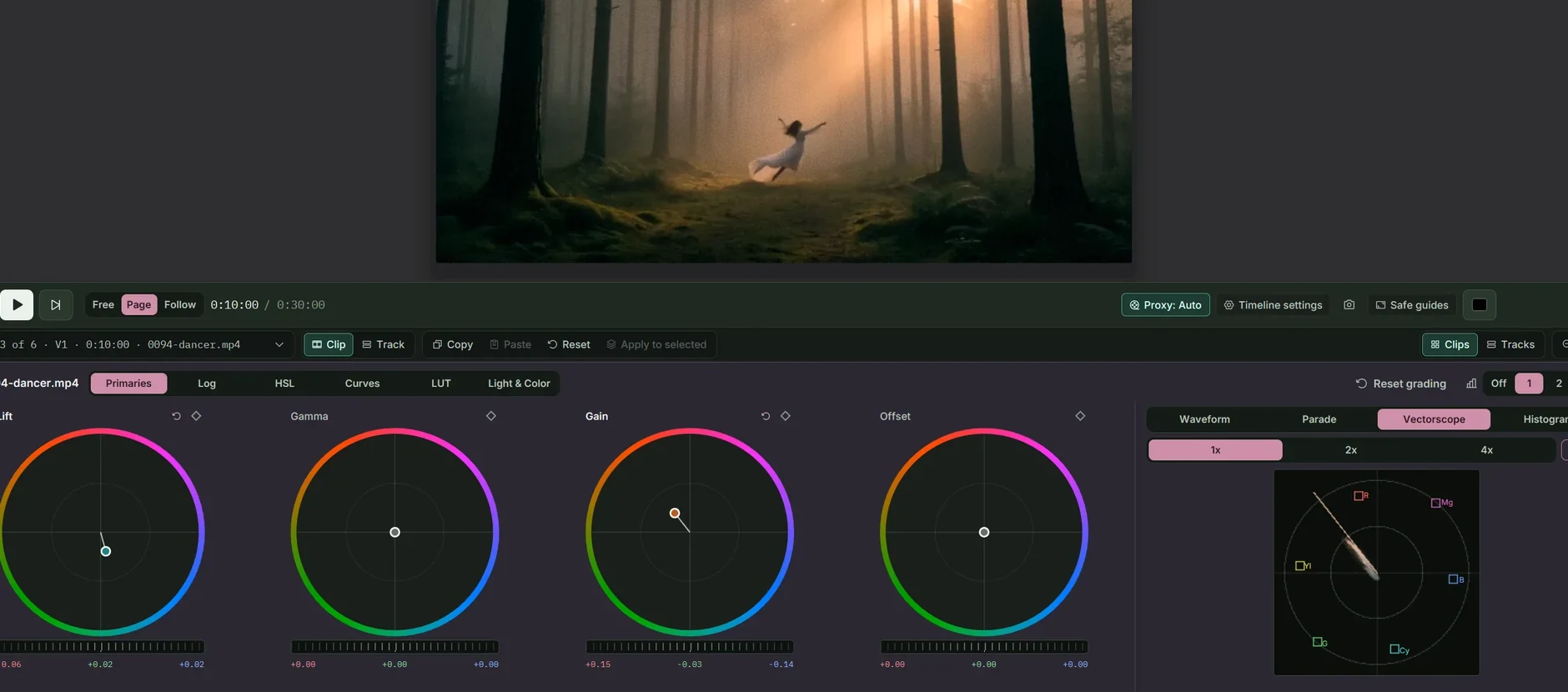
Every clip in order as a graded thumbnail, the viewer in the middle and the colour panel underneath. Copy a grade, paste it on the next clip or apply it to a selection, or grade a whole track at once. Keyframe any setting, curves included.

A colour page for the whole cut

Subtitles from what is said

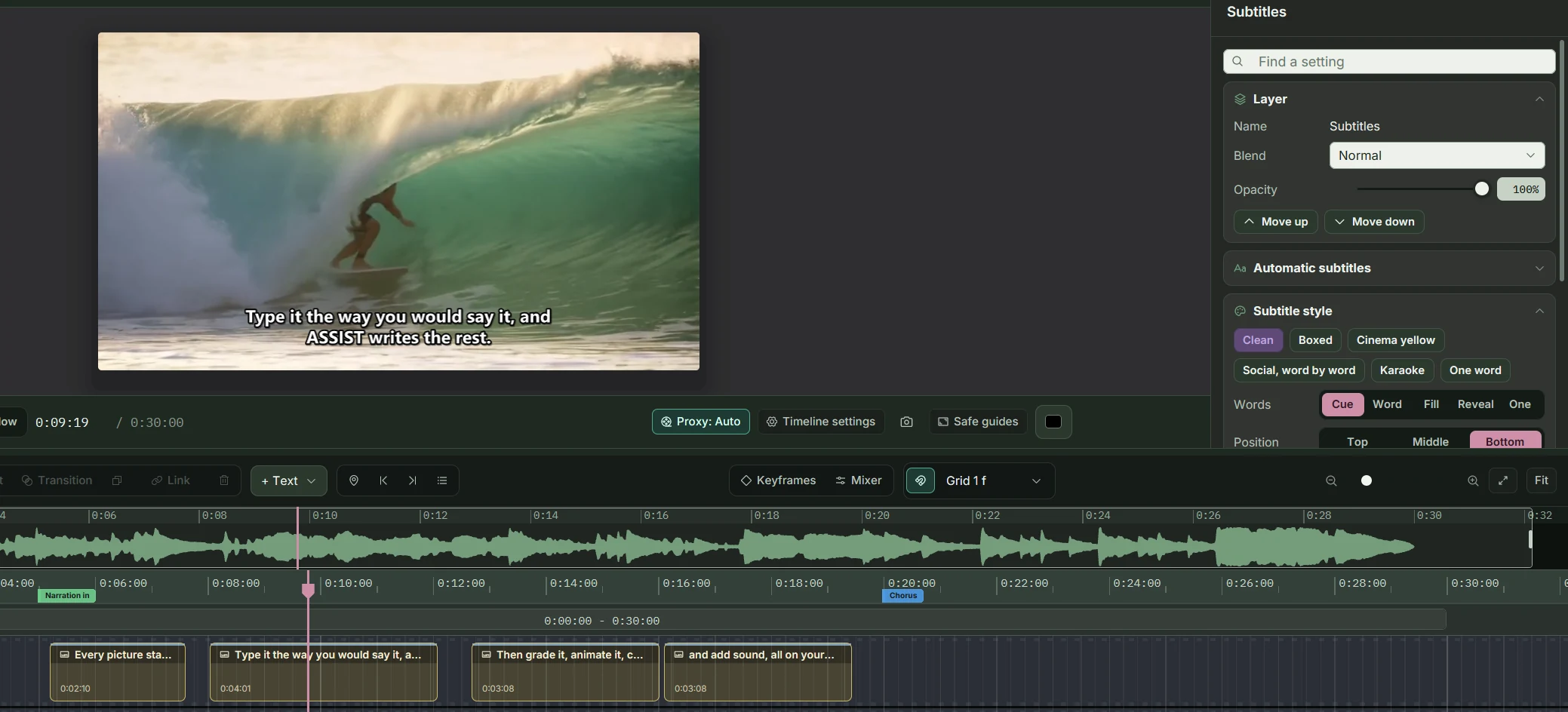
Transcribe a clip or the whole mix on your own computer with Whisper, including a Swedish model. Subtitles split at sentences and pauses, and they can light up word by word, karaoke style, in the preview and burnt into the export. SRT and WebVTT in and out.

Subtitles from what is said

A full mixer under the picture

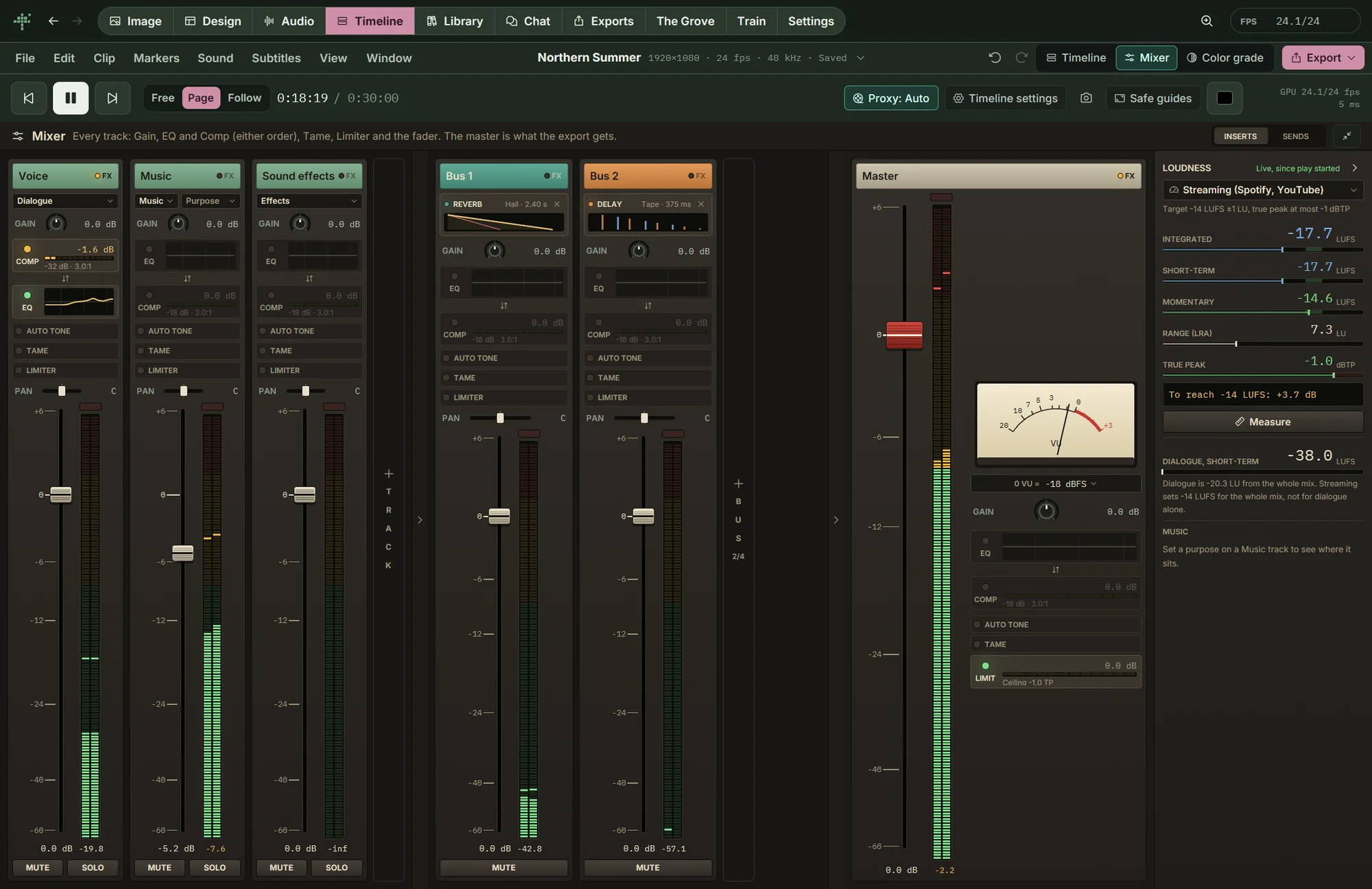
The mixer is a page of its own, shown alone or beside the timeline and the colour page. Every track has a channel strip with gain, EQ, compressor, Auto tone, Tame and a limiter, then pan and a fader with peak meters. Send buses carry reverb and delay, your VST3 and CLAP plugins load in any slot, and any setting can be automated. The master measures integrated, short-term and momentary loudness and true peak against the standard you deliver to, with a VU needle beside it, and what you hear is what the export writes.

A full mixer under the picture
Keyframed grades

Grade a clip, and animate the grade

In these clips the look eases in between two keyframes. They are timeline projects in TinyPine, exported as MP4.

Split toningColor boostBloomHalationSoft highlights
And also

Everything else in editing

Runs on any supported card. Proxies keep 4K playback smooth on smaller ones.

Next: Music & voice

Songs, voice-overs, sound effects and a mixer.

Music & voice

Everything on this page runs on your own card

A sad beagle puppy lying by the front door

Coming soon

Free · Windows · NVIDIA GPU, 24 GB recommended, 8 GB minimum · video needs 24 GB