All of TinyPine StudioMixer · recording · MIDI · plugins

A DAW in every timeline

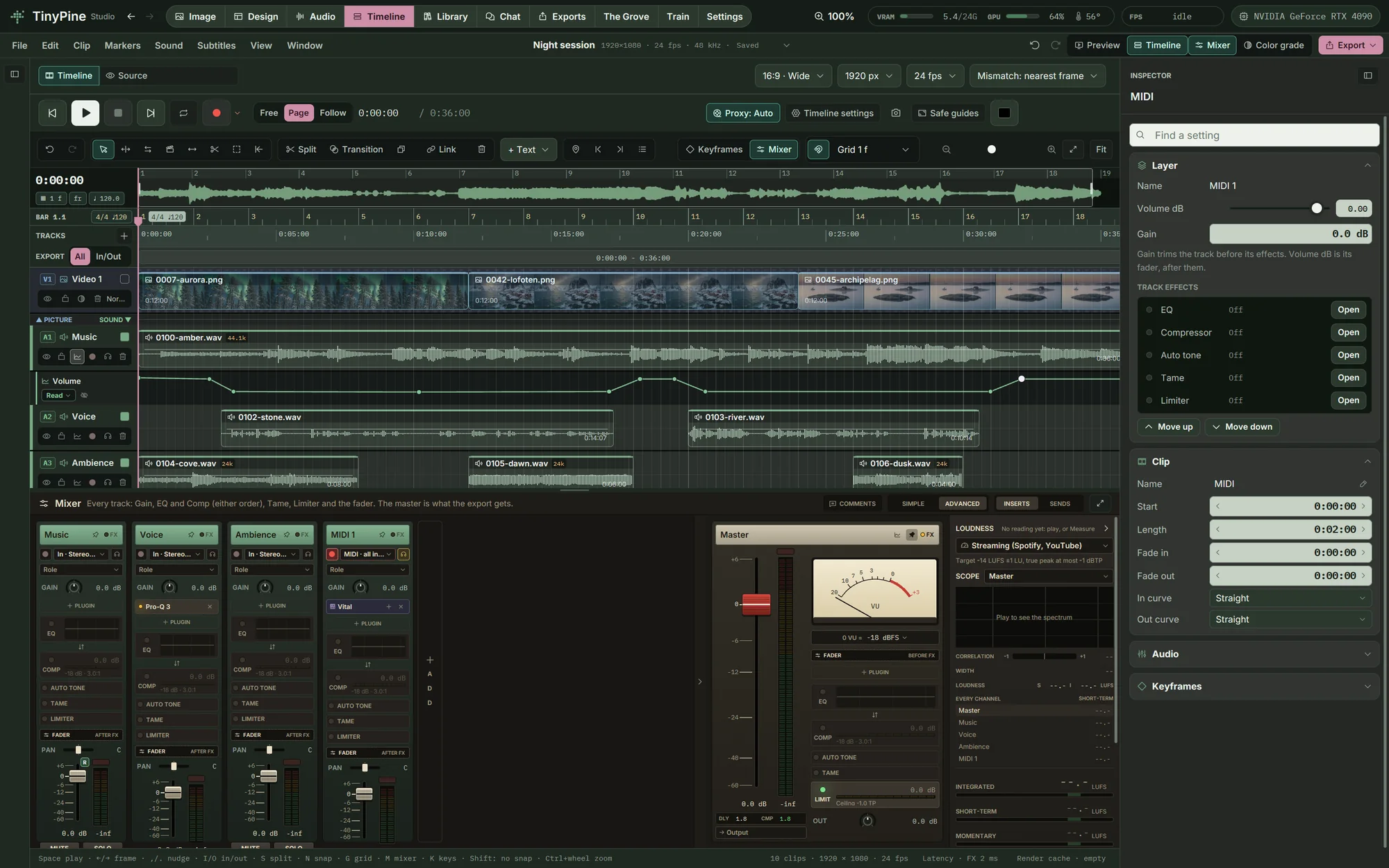
Every timeline has a mixer with a channel strip per track, buses and a master that measures loudness while it plays. Record and comp takes, play instruments from MIDI, load your VST3 and CLAP plugins, automate any setting and deliver stems. Seven processors written for TinyPine run on clips, tracks, buses and the master, and every path lands on the right sample.

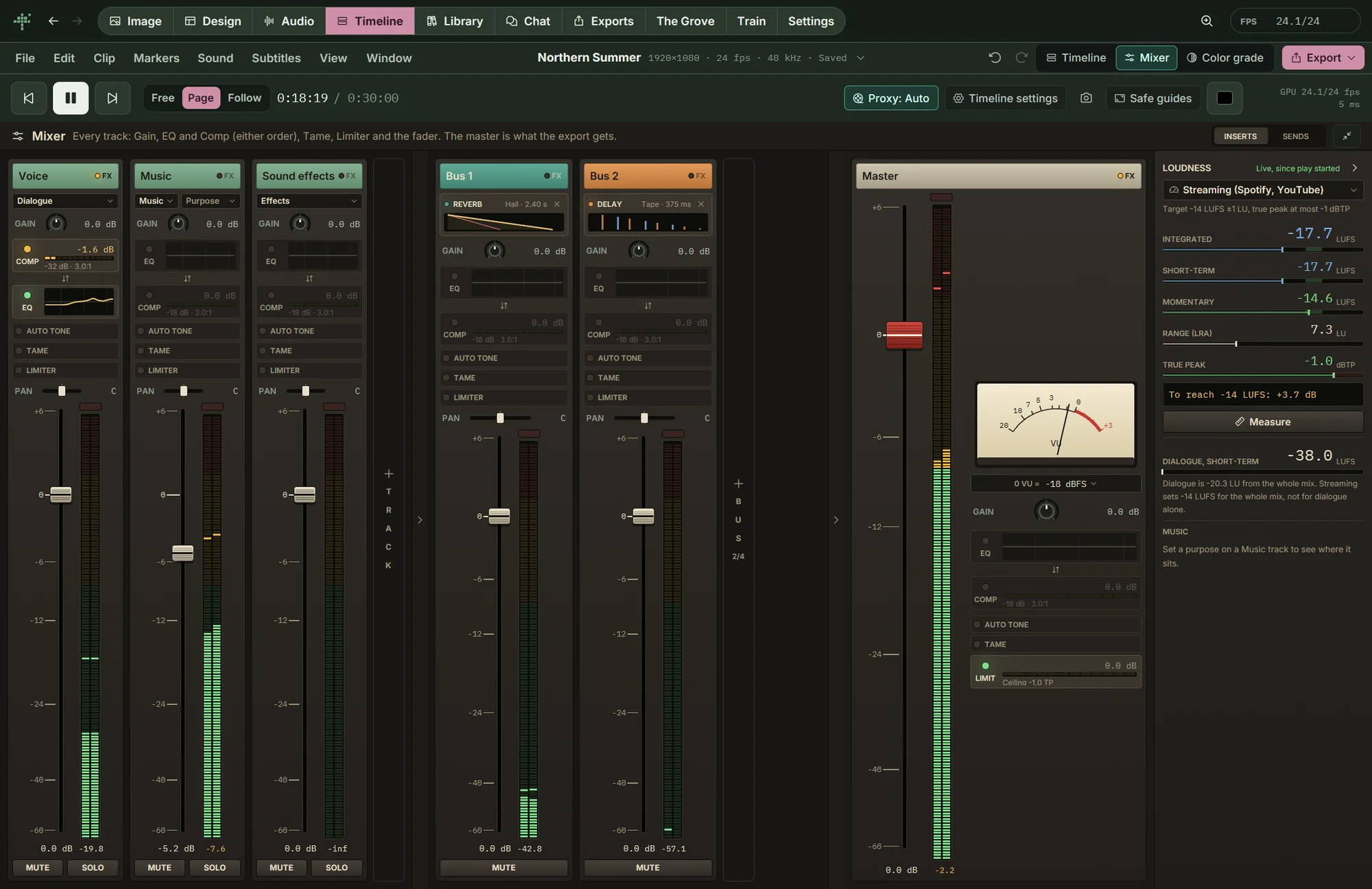
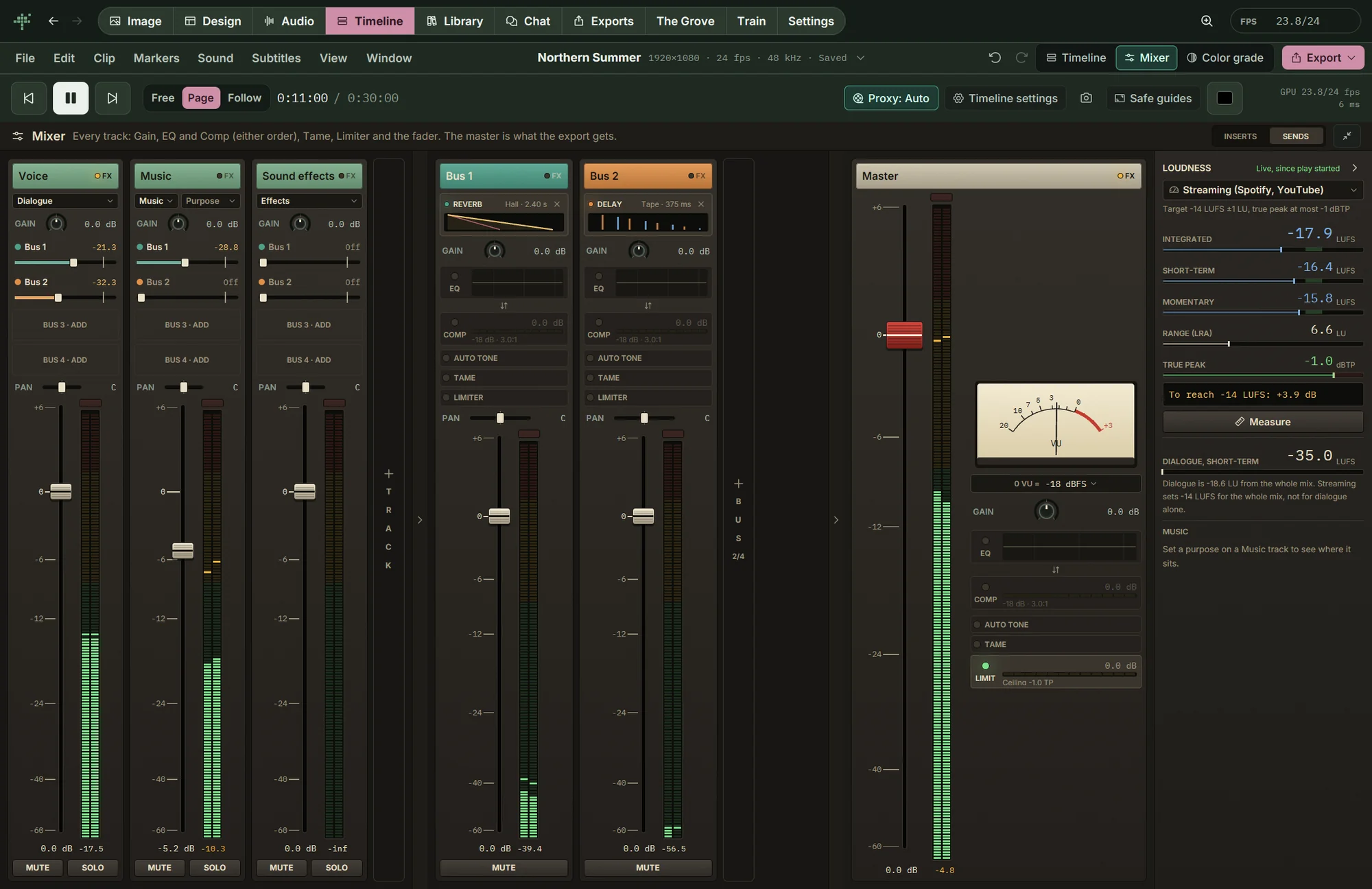
The TinyPine mixer during playback: voice, music and effect tracks, a reverb and a delay bus, the master and loudness

A channel strip on every track

Gain, EQ and compressor in either order, Auto tone, Tame and a limiter, then pan and the fader. Each slot shows what it does at a glance: the EQ curve, the compressor's gain reduction as it happens, the dB Tame takes out. Click a slot and its window opens over the mixer; it stays open while you play.

  • Mute and solo
  • Roles: dialogue, music, effects
  • Peak meters with hold, an analogue VU on the master
A channel strip on every track

Send buses with reverb and delay

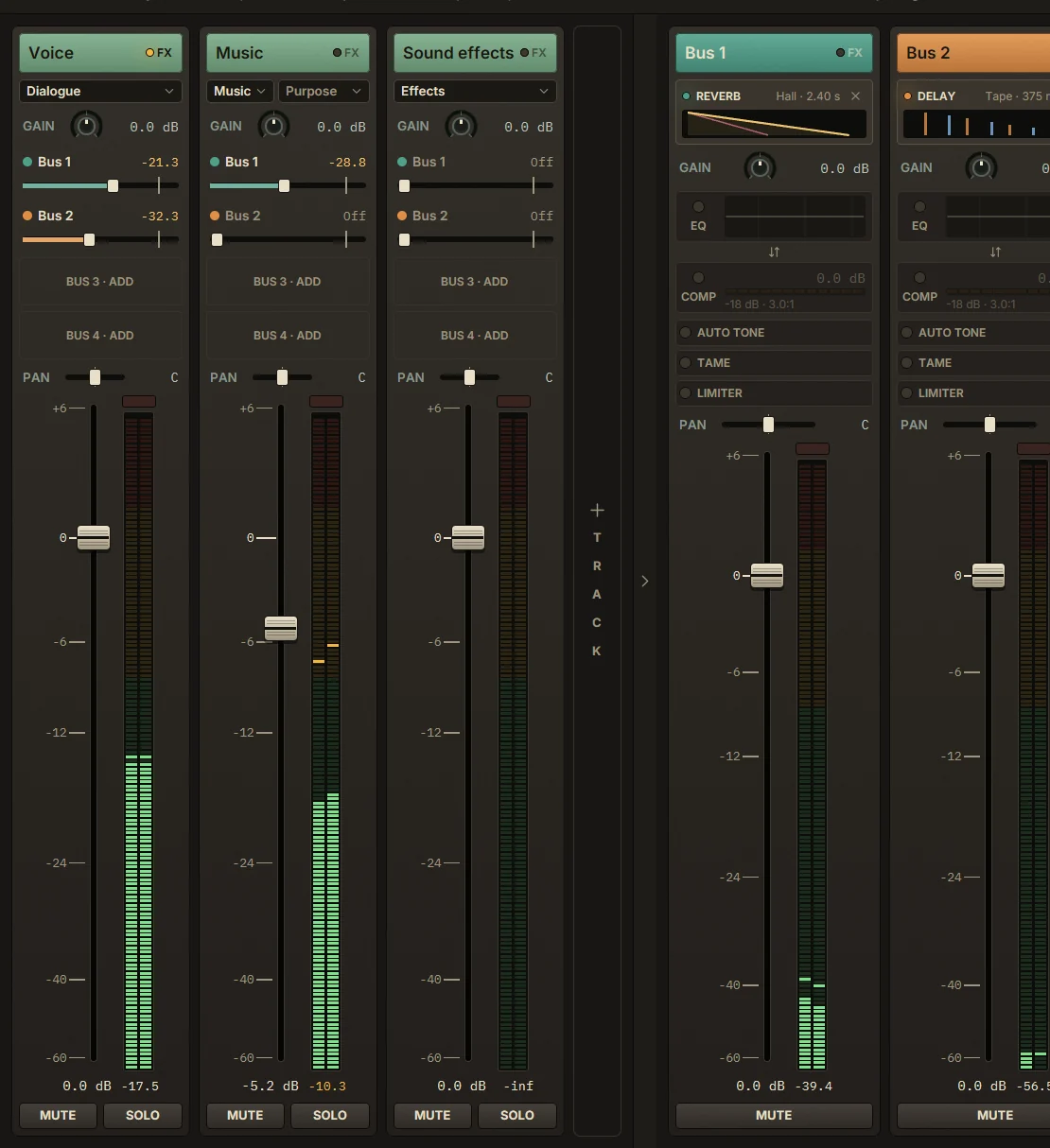
Up to four buses, each a reverb or a delay with its own EQ, compressor, Tame and limiter. Switch the strips to Sends and every track gets a send level per bus. Here the voice goes to both and the music to the reverb.

Send buses with reverb and delay

Loudness to the standard you deliver to

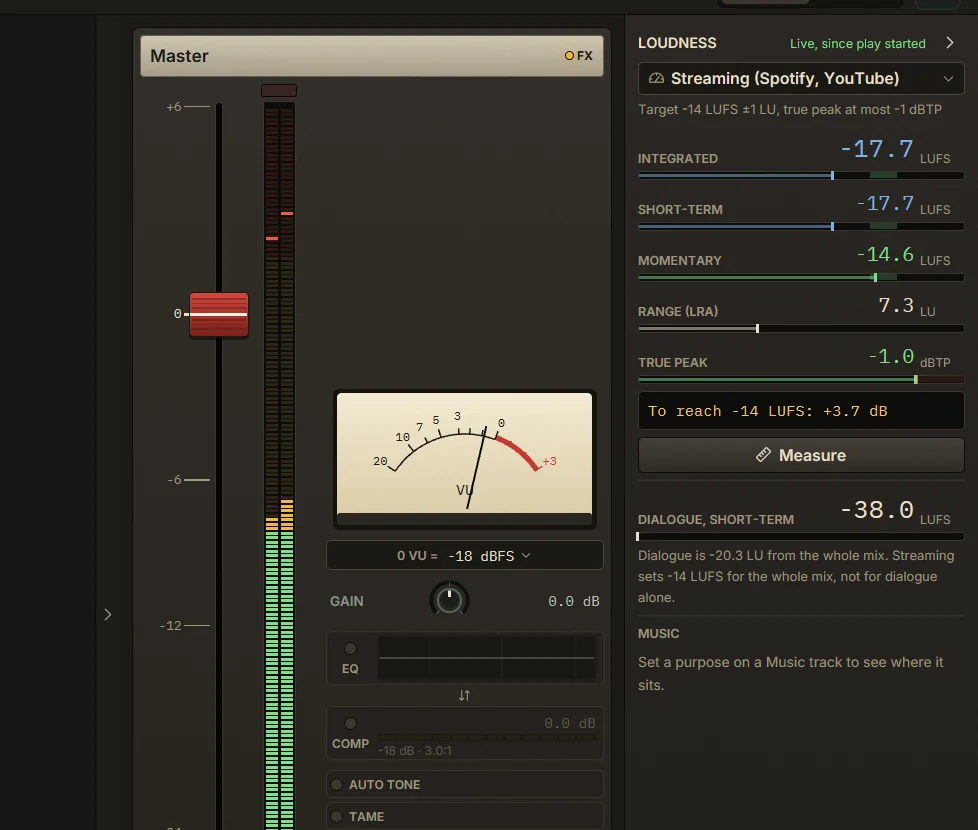
The master measures integrated, short-term and momentary loudness, the loudness range and true peak while it plays, or the whole mix with Measure, and says how far you are from the target. The dialogue is measured on its own.

  • Streaming −14 LUFS
  • Apple Music and podcasts −16
  • EBU R128 −23
  • ATSC A/85 −24
  • Film and Netflix dialogue −27
Loudness to the standard you deliver to

Automation on every setting

Volume, pan, mute, every send and every effect parameter can be automated on tracks, buses and the master. Each segment is straight, smooth, fast-in, fast-out or step, and each lane runs Off, Read, Touch, Latch, Write or Trim. Here the music dips under the voice. Automation lands on the right sample in playback and in the export.

  • Fade curves: straight, equal power, S-curve, fast and slow
  • A crossfade editor with both curves and the summed level
  • Copy and paste points between lanes
Automation on every setting

Record and comp takes

Arm a track, pick its input and monitor it, then record with punch in and out and a pre-roll. Loop recording keeps every pass as a take; split the clip and choose the best take for each part. A tempo map with time signatures, a bars-and-beats grid and a metronome with count-in keep it in time.

Elastic audio

Put markers on a clip's transients and stretch between them while pitch and formants stay where they were. Quantize the hits to the grid, make one track follow another, with or without a steady beat, set a whole clip to the project tempo, or read a tempo map out of the clip itself. In a test, drums that drifted ±6 % landed within 3 ms of the grid.

  • Lock a marker so a new analysis keeps it
  • Notes from a clip to a new MIDI track
  • Signalsmith Stretch, rendered in the background

Waveforms down to the sample

The Pro waveform draws every channel in full detail. Zoom the timeline in to single samples, draw them with the Pencil, or select an area and silence, fade, normalize, reverse or repair a click. The first change gives the clip its own copy, so the source file stays as it was, and undo still works after a restart.

Instruments and MIDI

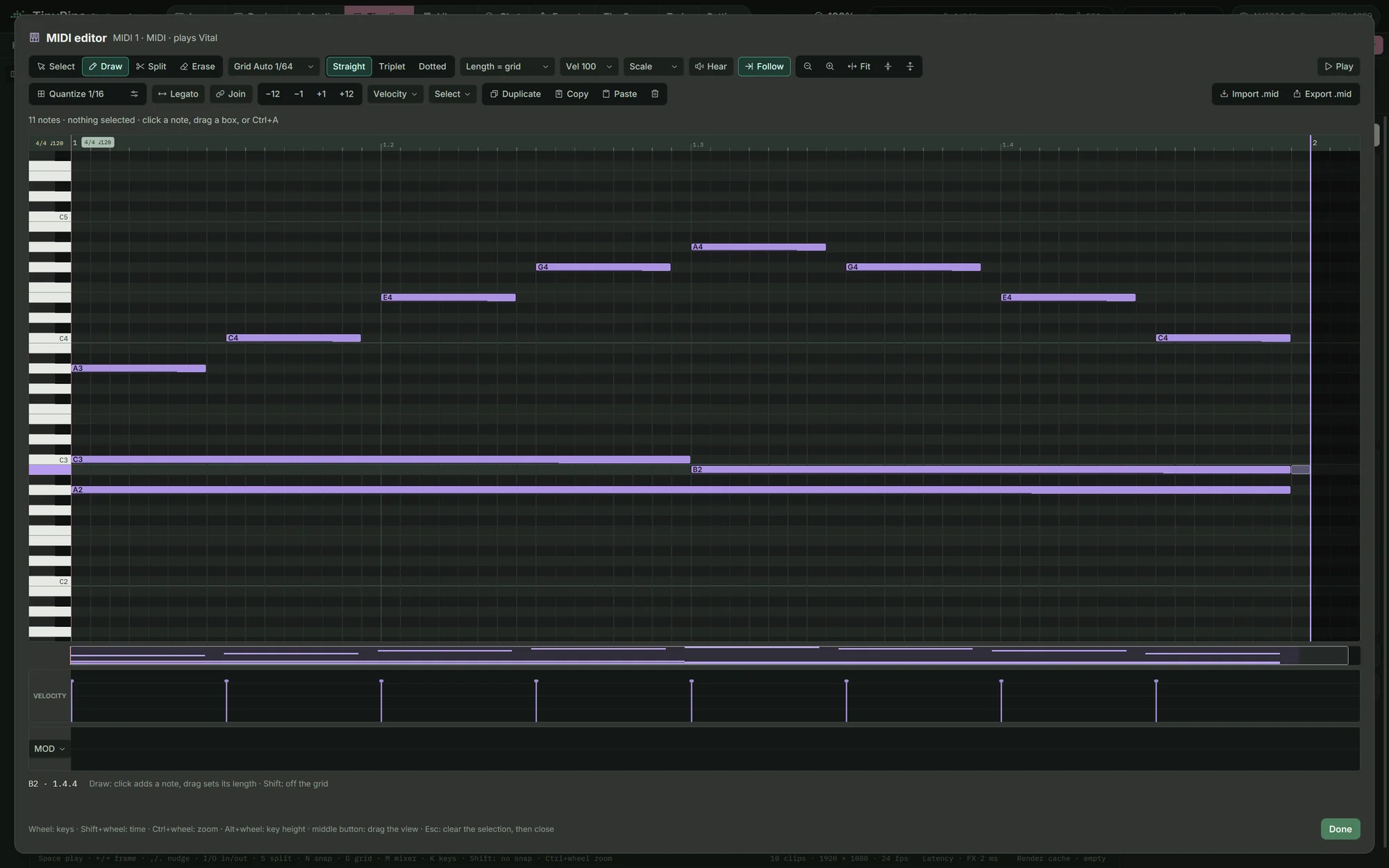
Give a track an instrument (VST3 or CLAP) and write its part in the piano roll: notes, velocity, modulation, quantize, legato, transpose and scales. Import and export .mid files, and play the instrument from a MIDI input.

Instruments and MIDI

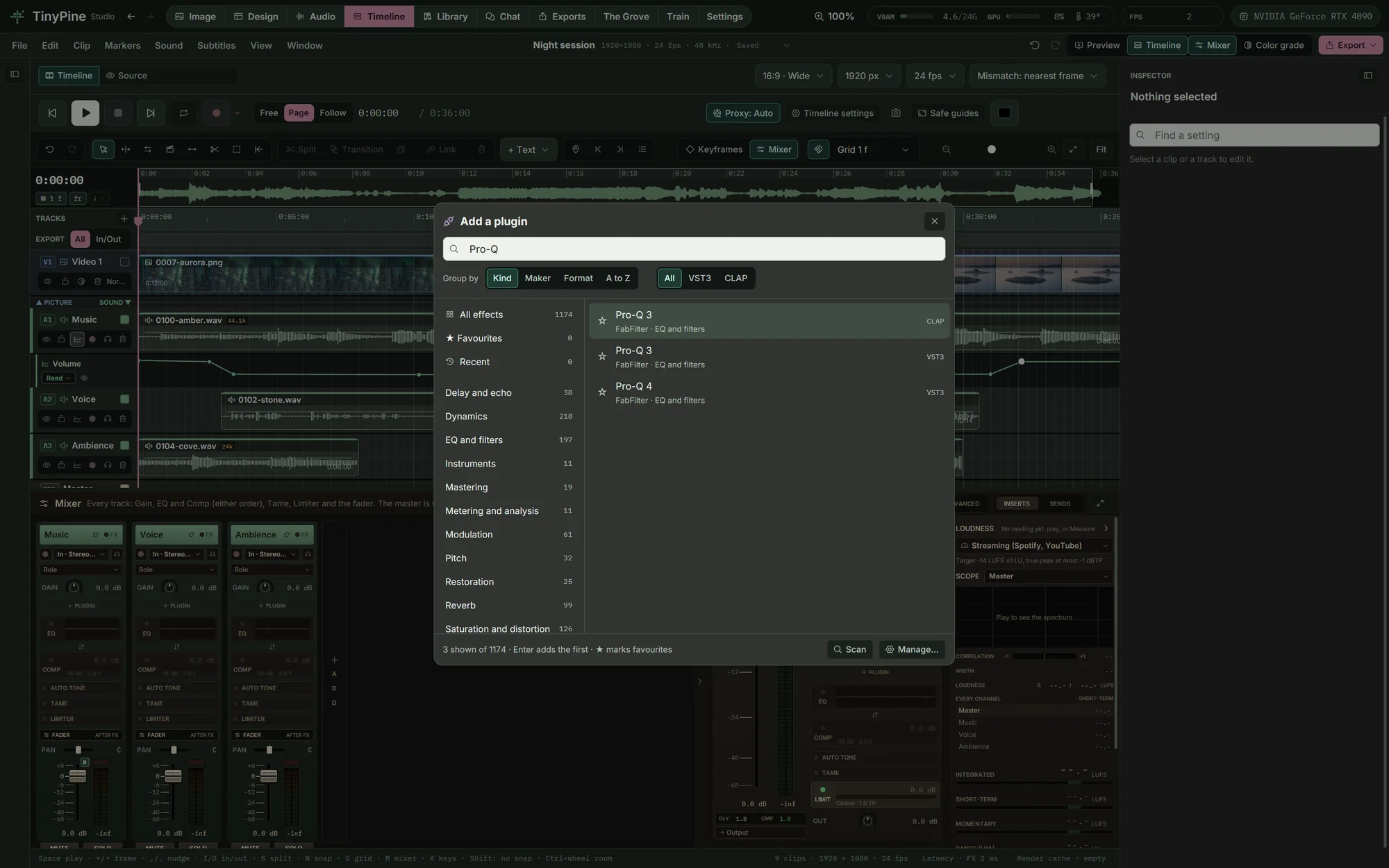
Your plugins in the mixer

TinyPine scans the standard folders for VST3 and CLAP plugins and sorts them by kind and maker. A plugin sits first in a channel, with latency compensation, its own window, A and B settings, presets and automation of every parameter, and its state saved in the project. Each plugin runs in its own process, so a plugin that crashes does not take the app with it. Some VST3 plugins built with JUCE show an empty window for now; their sound works.

Your plugins in the mixer

Routing and stems for delivery

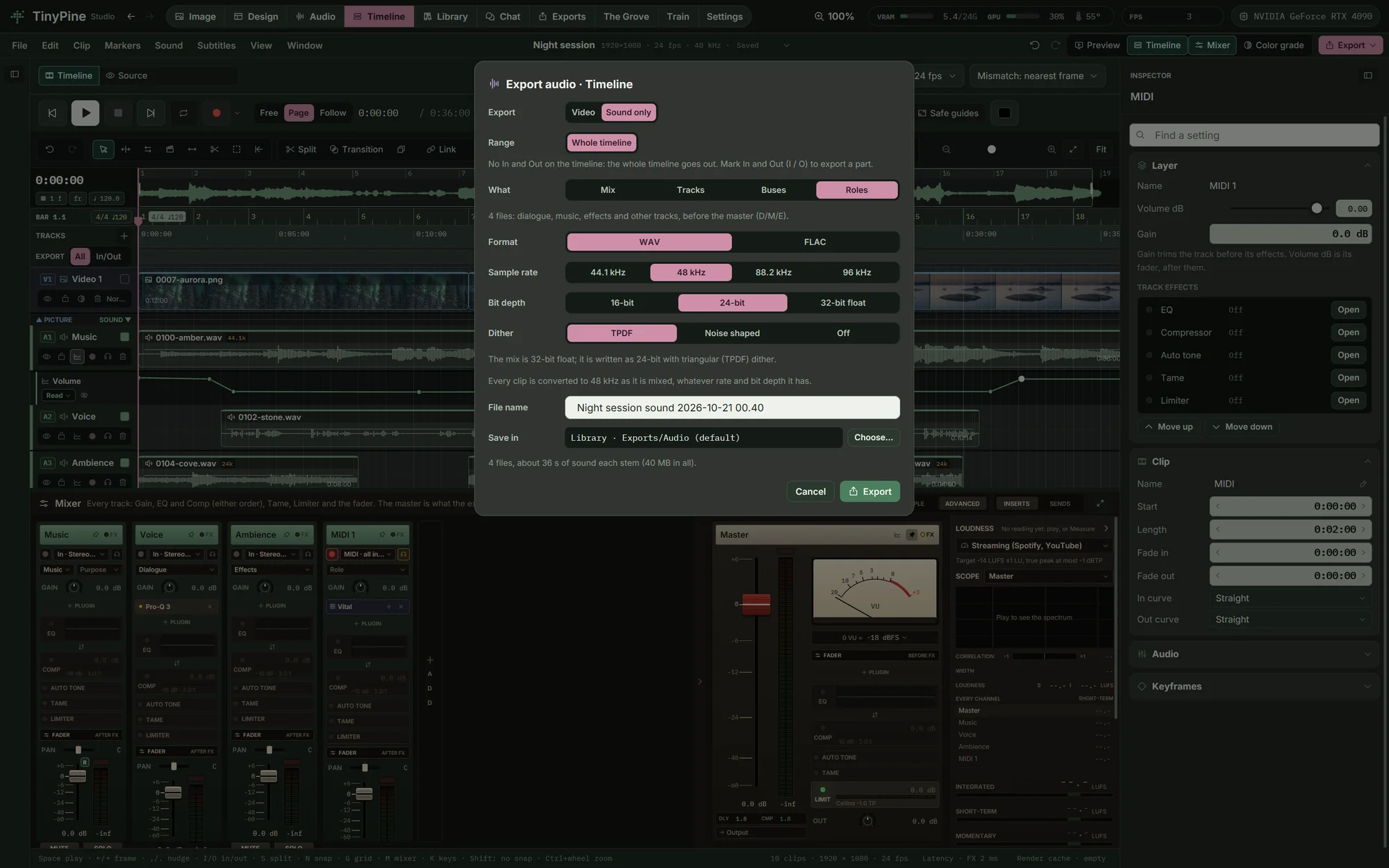
The Advanced mixer adds submix buses, sends before or after the fader, a key input on the compressor for ducking, VCA faders and groups. Export the mix, one file per track, per bus or per role (dialogue, music, effects and other, for D/M/E delivery), or one file per region, with TPDF or noise-shaped dither.

Routing and stems for delivery
Seven processors

Every effect, and everything it lets you set

Each window below is the app during playback of the film on the Editing page. Pick an effect.

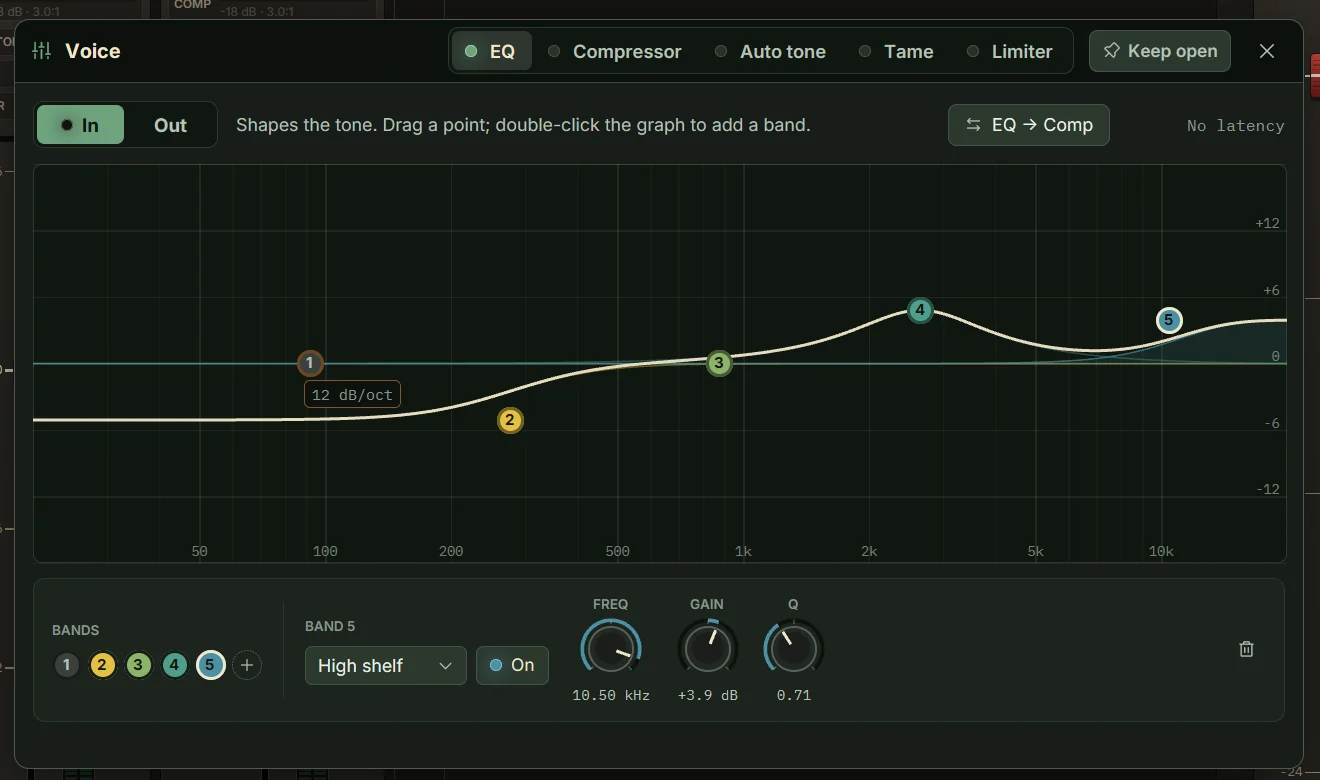
The EQ window in TinyPine Studio, during playback

EQ

Shape the tone with up to eight bands on a live spectrum. Drag a point to move a band, double-click the graph to add one.

Clips, tracks, buses, master, a sound in the library Latency: None
Low cutLow shelfBellNotchHigh shelfHigh cutFrequency, gain, QSlopes 6 to 72 dB/oct
  • EQ before or after the compressor, one click
  • The curve is drawn on the mixer strip
Under the hood

Built like a real mixing engine

Compensated to the sampleEvery path on its sampleEffects with look-ahead are compensated: clips are read early by exactly what their chain delays, so a voice, its reverb and the picture stay together. The status line shows the longest path.
1 engineOne engine for playback and exportThe mix you hear is the mix the export writes, rendered by the same code at the export's sample rate and bit depth.
−14 · −16 · −23 · −24 · −27 LUFSLoudness to the standardIntegrated, short-term and momentary LUFS, loudness range and true peak, measured against Streaming −14, Apple and podcasts −16, EBU R128 −23, ATSC −24 or film dialogue −27, with how far you are from it.
Dialogue · Music · EffectsRoles and purposesMark tracks as dialogue, music or effects. The panel measures the dialogue on its own and tells where the music sits: under speech, lead or music video.
−2.5 · −3 · −4.5 · −6 dBPan the way mixers doConstant-power pan laws of −2.5, −3, −4.5 and −6 dB for mono sources; stereo tracks pan as balance.
300 msAn analogue-style VUA VU needle with 300 ms ballistics and a reference you choose, beside the peak meters.
44.1 · 48 · 88.2 · 96 kHzFormats in and outAny film or sound format imports. The timeline runs at 44.1, 48, 88.2 or 96 kHz and exports WAV in 16, 24 or 32-bit float, with RF64 over 4 GB.
Tested end to endMeasured, not guessedA test suite plays known signals through the whole engine: impulses on the right sample, levels, pan laws, fades, limiter ceiling, sample rates and playback in real time.
And also

Everything else in mixing

The mixer and all effects run on the processor. No model and no download. Plugins are your own, VST3 or CLAP, on Windows.

Next: Design

Layout, type, brushes, print PDF and an MCP server.

Design

Everything on this page runs on your own card

A sad beagle puppy lying by the front door

Coming soon

Free · Windows · NVIDIA GPU, 24 GB recommended, 8 GB minimum · video needs 24 GB